
WhatsApp templates without opening the Meta dashboard ✍️
To send the first message to a guest, pick up a conversation after 24 hours or run a campaign, the official WhatsApp requires a template approved by Meta. Until now, creating one meant leaving NChat, going into the Meta dashboard and hoping the text would pass approval. When it was rejected, the reason came as a generic message, and the team tried again in the dark.
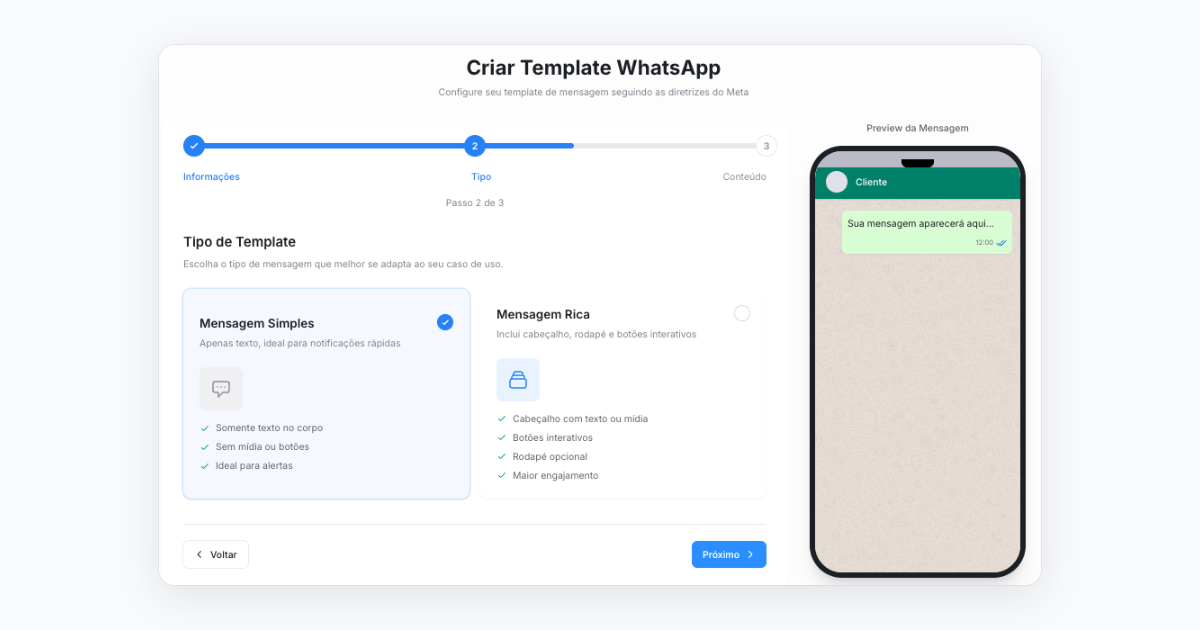
What changes
- All in NChat: in Settings, under WhatsApp templates, you create, edit and delete your account's templates.
- Phone preview alongside: you see how the message will reach the guest while you write.
- Errors explained: a wrong category or an invalid name shows up before you submit, with what needs fixing.
- Ready-made greetings: when you connect a new official WhatsApp number, NChat creates the basic greeting templates so you can start talking.
- Category and language in view: in New conversation, when you pick a template, each one shows its category (Marketing, Utility or Authentication) and language.
Good to know
- Only account administrators can use the template builder.
- It works for numbers connected to WhatsApp through the official API.
- Templates still go through Meta's approval. NChat helps the text get there right the first time.
Available in NChat V4. V4 is activated by the implementation team: request yours through NDesk.
Best regards, The New Byte Team