
The NChat app now opens straight to your conversations 📲
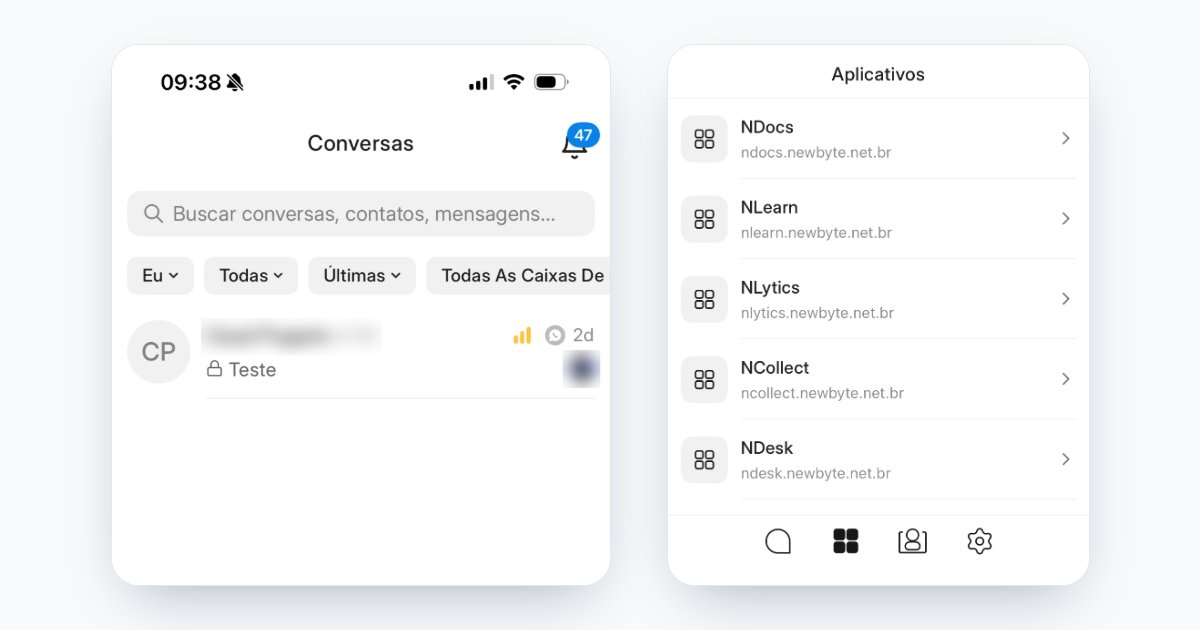
The app's navigation is now closer to WhatsApp, which your team already knows. Conversations becomes the home screen, and what used to hide behind icons now shows up without a single tap.
What changes
- Conversations is the home screen. When you open the app, you land on the conversation list, not on the Inbox.
- Search fixed at the top. The bar is always visible. Tap it to search contacts, conversations and messages.
- Filters always in view. Assignee, status, sort order, inbox and team appear right below the search bar. "Clear" is still there.
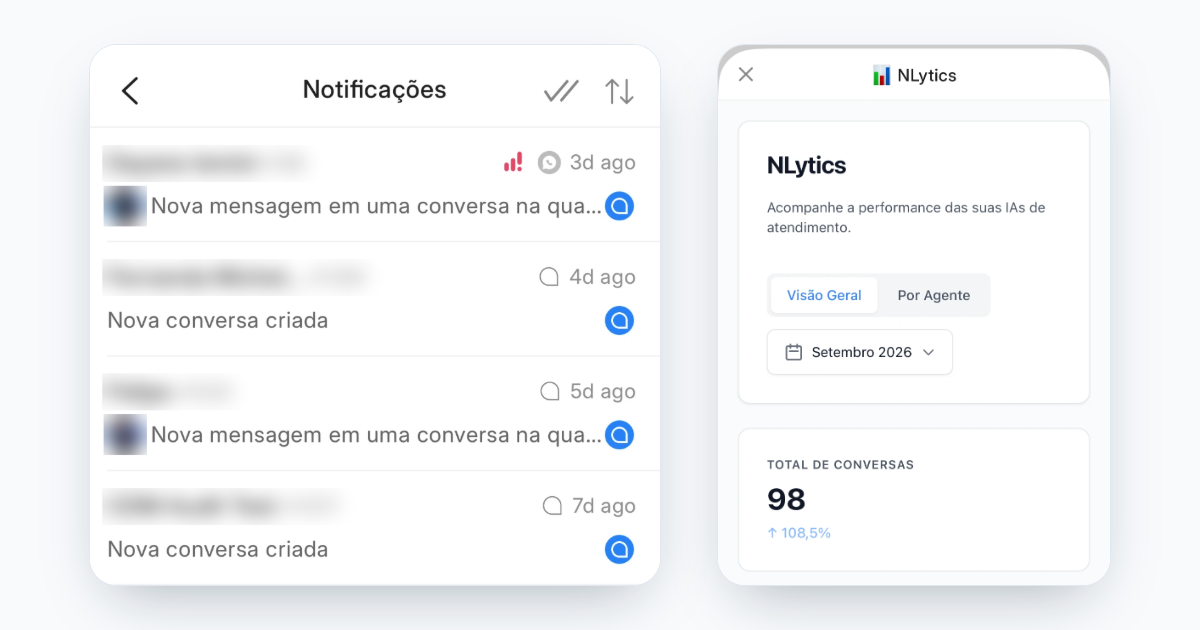
- Notification bell. The Inbox left the bottom bar and became a bell in the top right corner, with the number of unread notifications.
- Apps tab. Your account's apps, such as NLytics, now have their own tab and open in full screen. They are no longer in the conversation's three-dot menu.
The new bottom bar
Conversations, Apps, Contacts and Settings, in that order. The Apps tab is shown according to each user's permissions.
Benefits
- Fewer taps to find a conversation or filter the queue in the middle of the rush
- Pending notifications visible inside the app, not only on the phone icon
- NLytics dashboards working on mobile the same way they do on the web
For those who handle guests on the go, between one check-in and the next, what you need is on the very first screen.
Best regards, The New Byte Team